Walk into the story.
You're somewhere new, or somewhere you thought you knew. Every corner has a person attached to it, and Story Trail is how you meet them: follow the compass, hold up your phone to see the path on the footpath ahead, and let the story open right where it happened.
History isn't behind glass. It's under your feet.
A plaque tells you a building was "constructed circa 1920." Story Trail tells you a wedding happened in its stairwell in 1947. Same building, completely different afternoon.
Find a trail. Start walking. Look up.
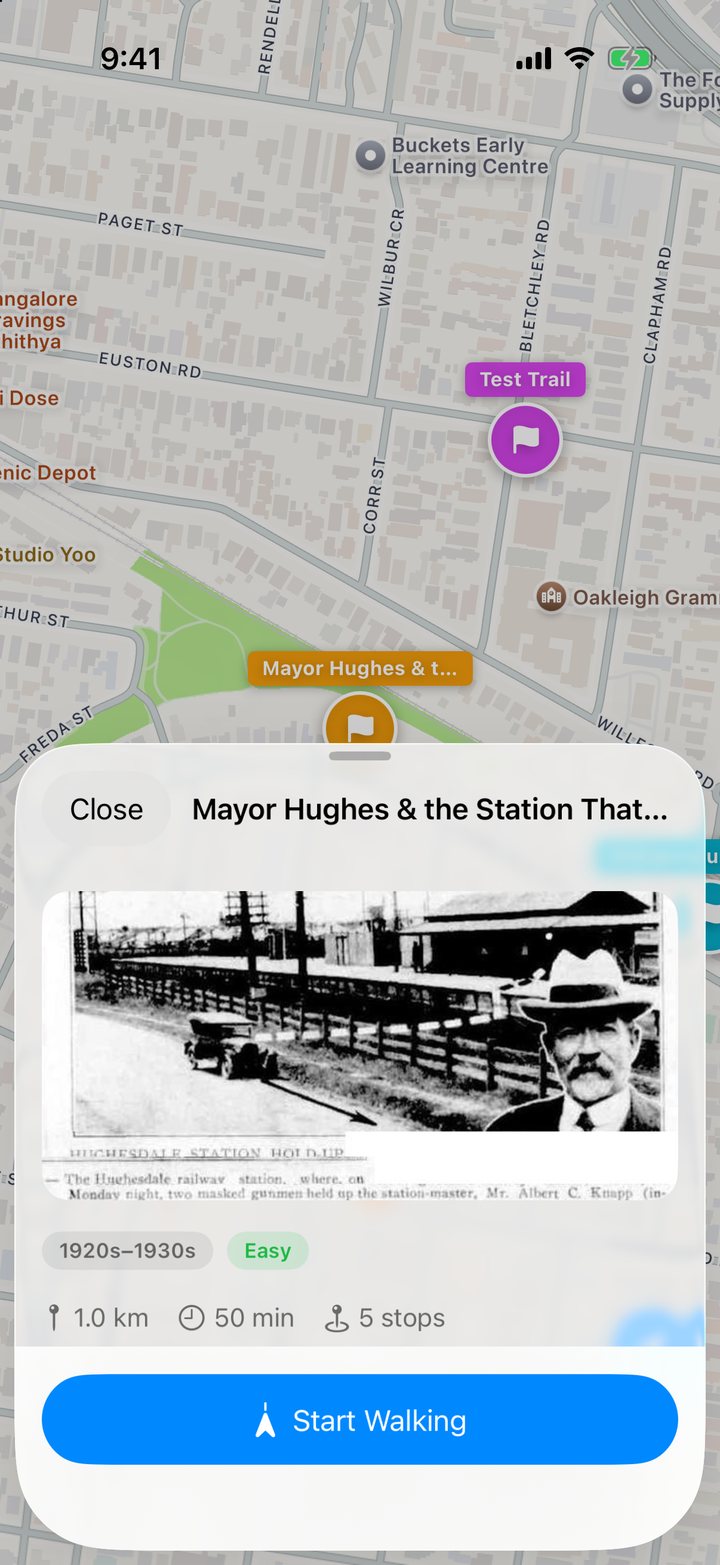
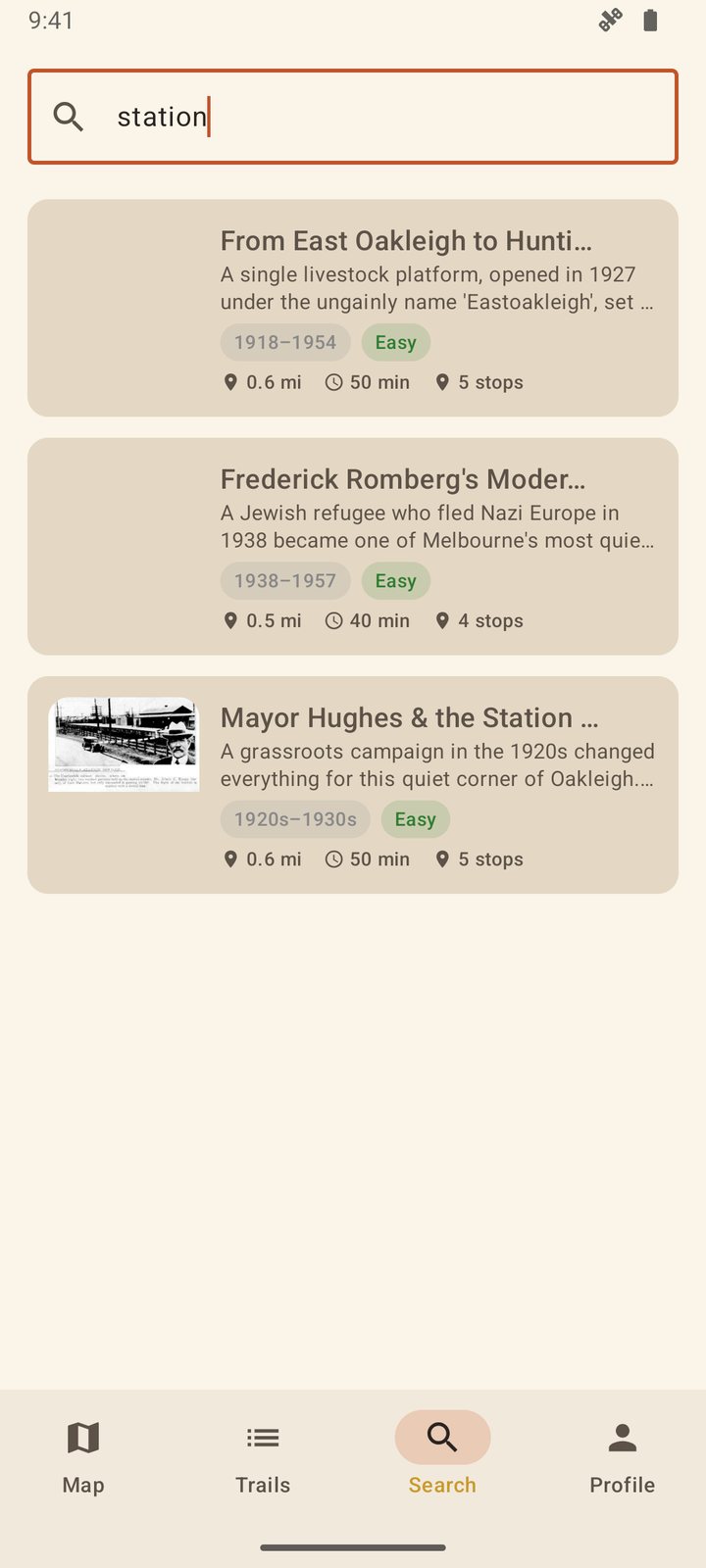
Real screens from the iPhone and Android betas, most of them taken out on footpaths in Melbourne's south-east.
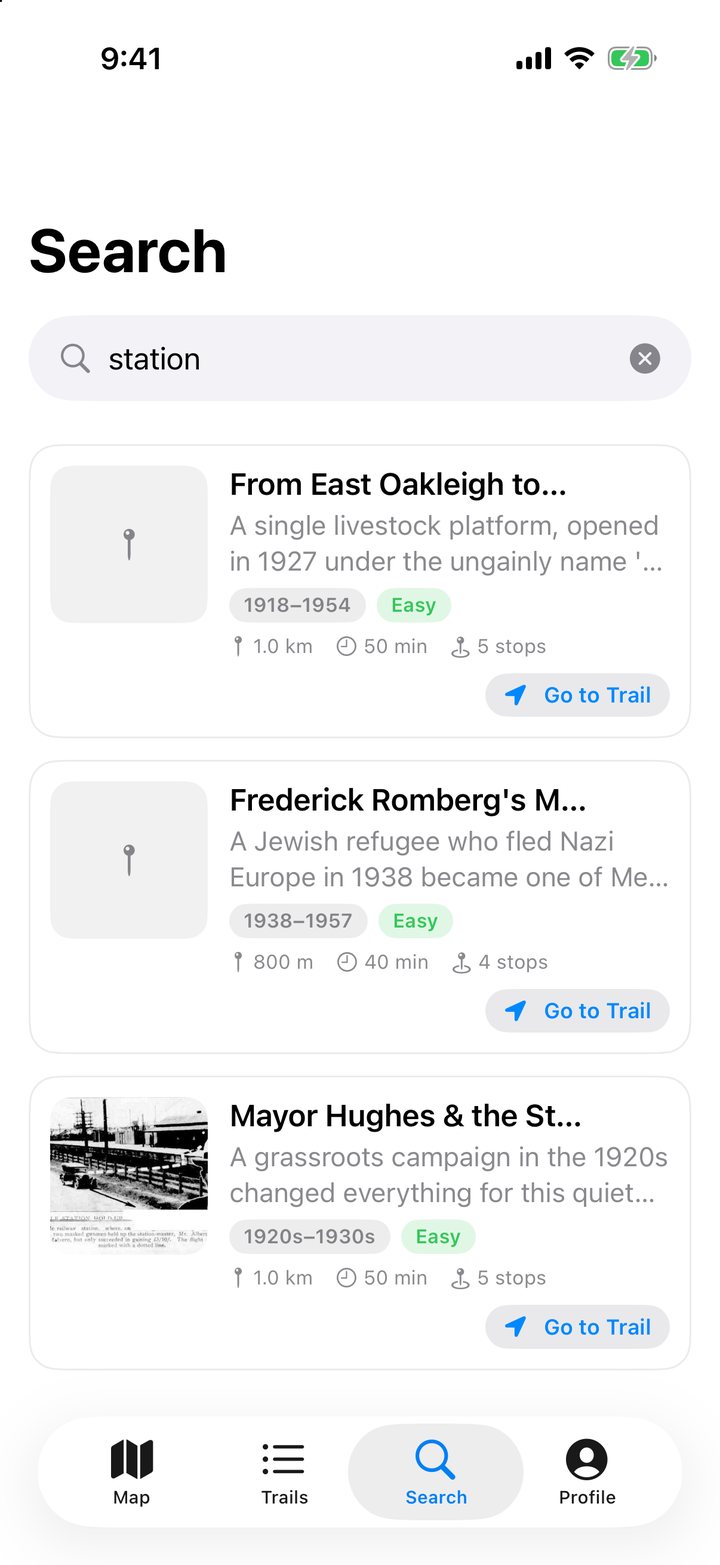
Find a trail
Open the map and see what's nearby, or search for a suburb, a person or a theme. A marker on a fence post or a QR code someone's already found works too. Each trail tells you up front how far, how long and how many stops.
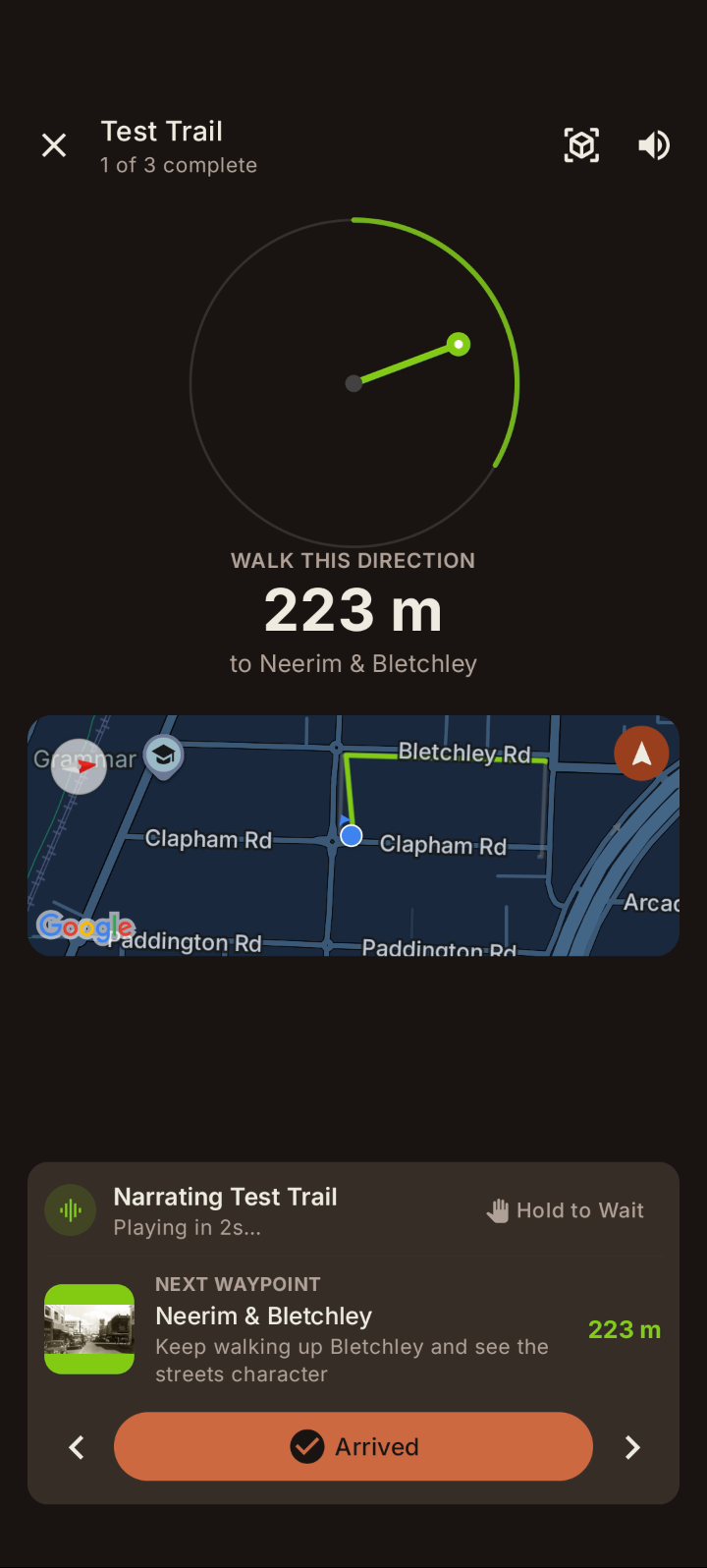
Follow the compass
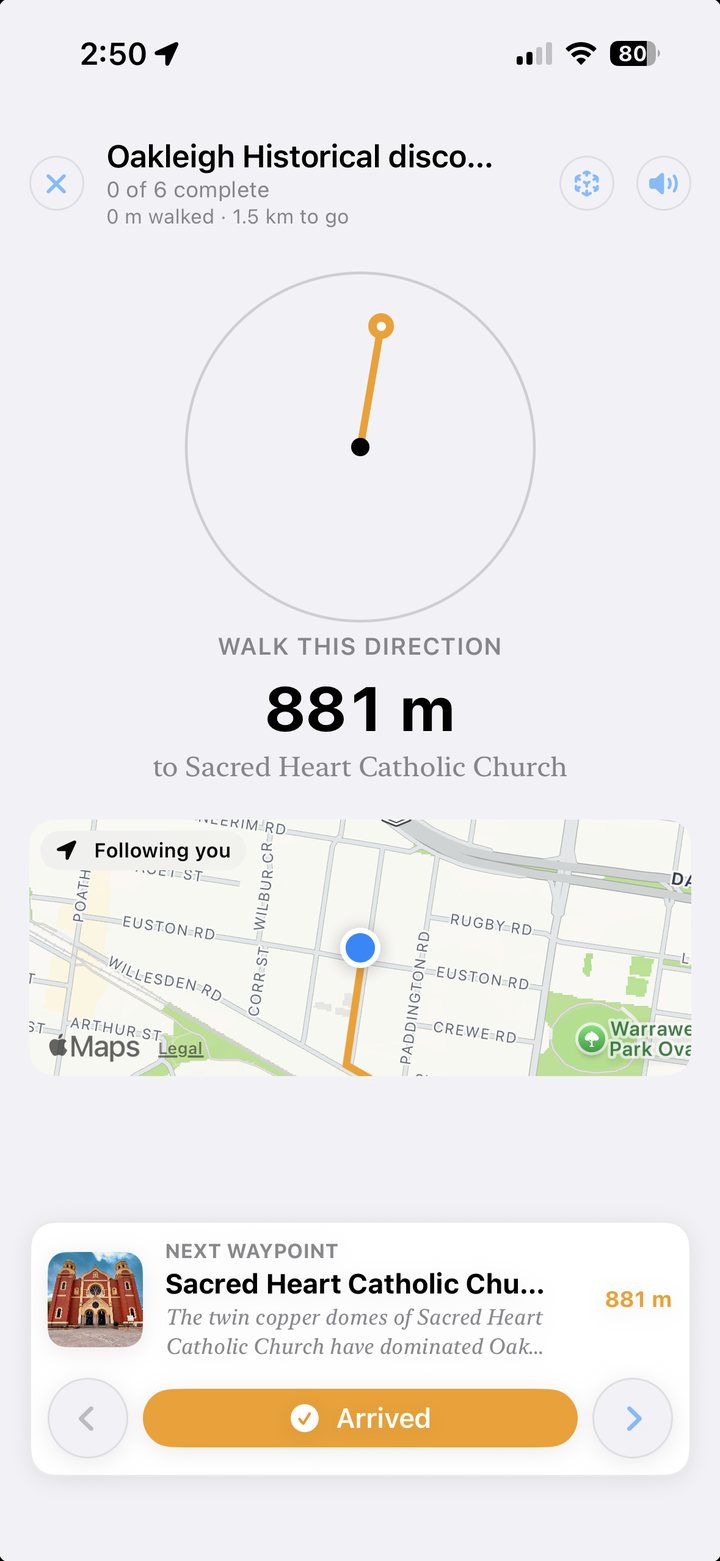
A big dial points to the next stop, with the distance counting down underneath and a small map that turns as you do. The phone can stay at your side until you need it.
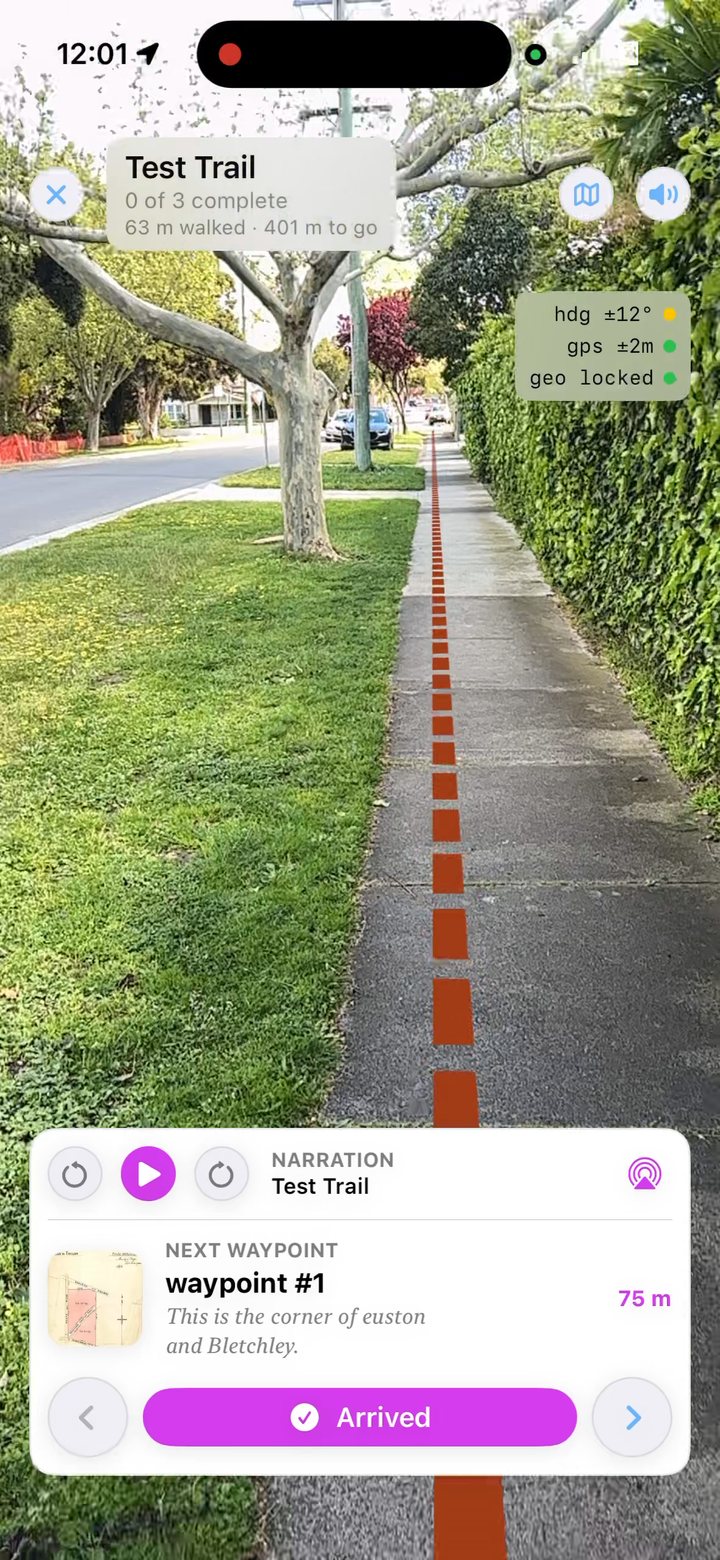
Hold it up
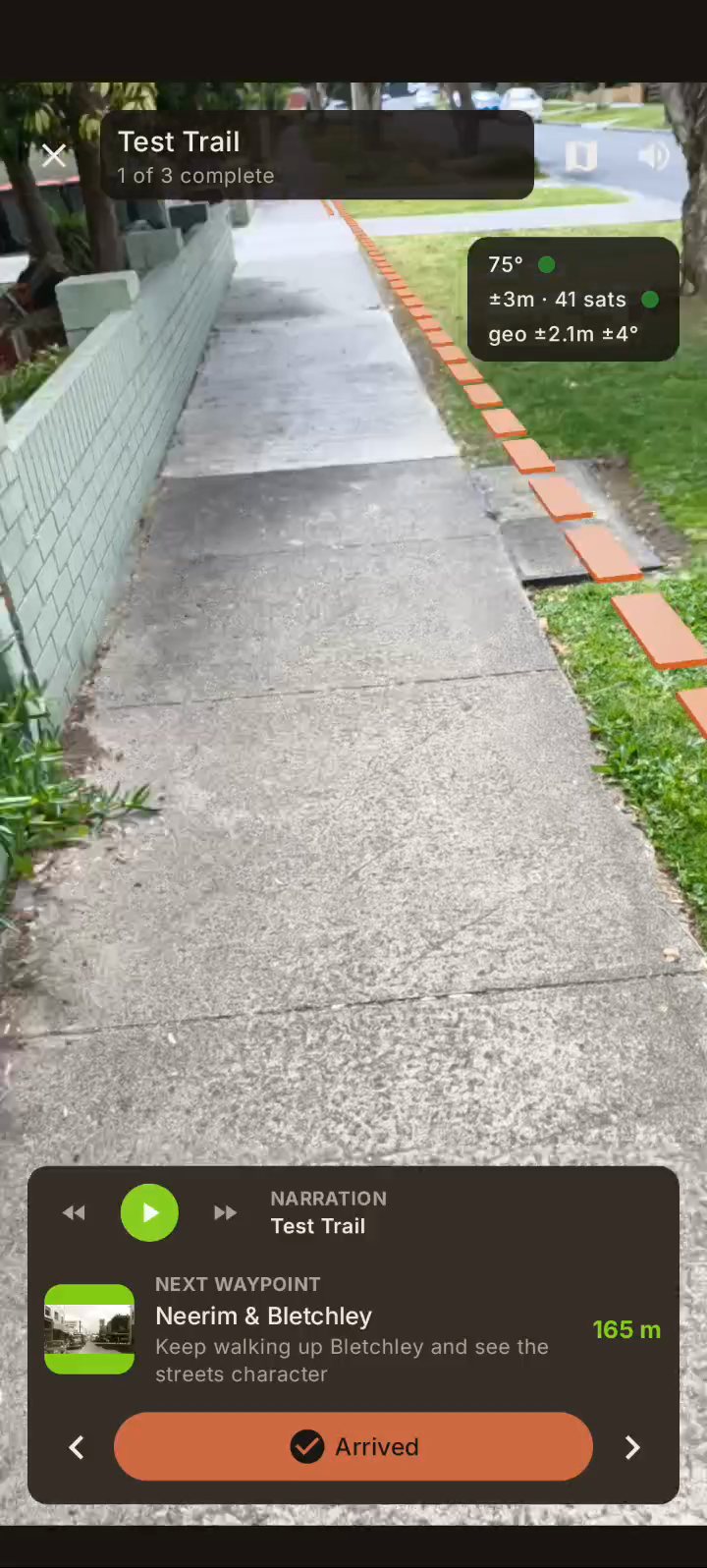
Switch to AR and the path is drawn on the real footpath in front of you, leading to a lamp-post marker at the next stop. Switch back whenever you like.
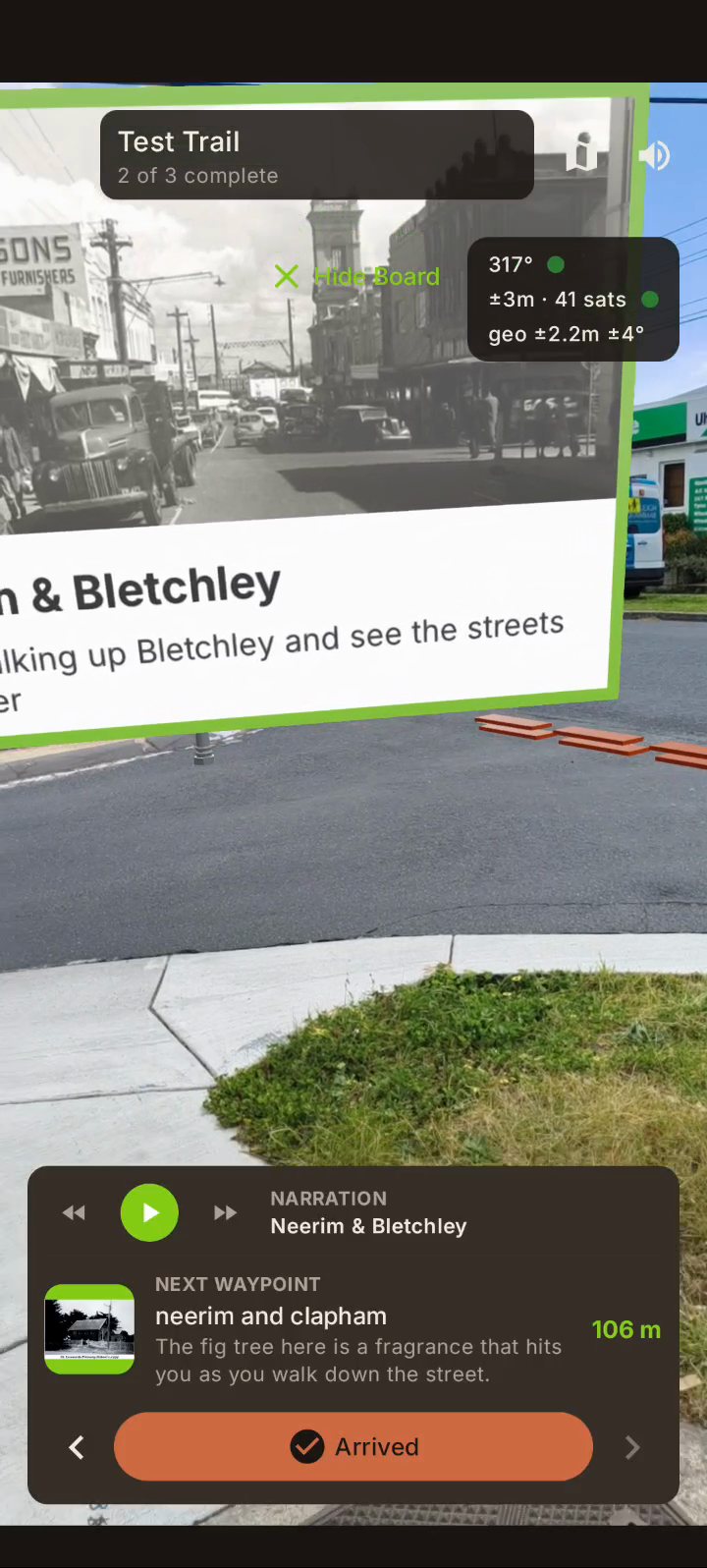
Stand where it happened
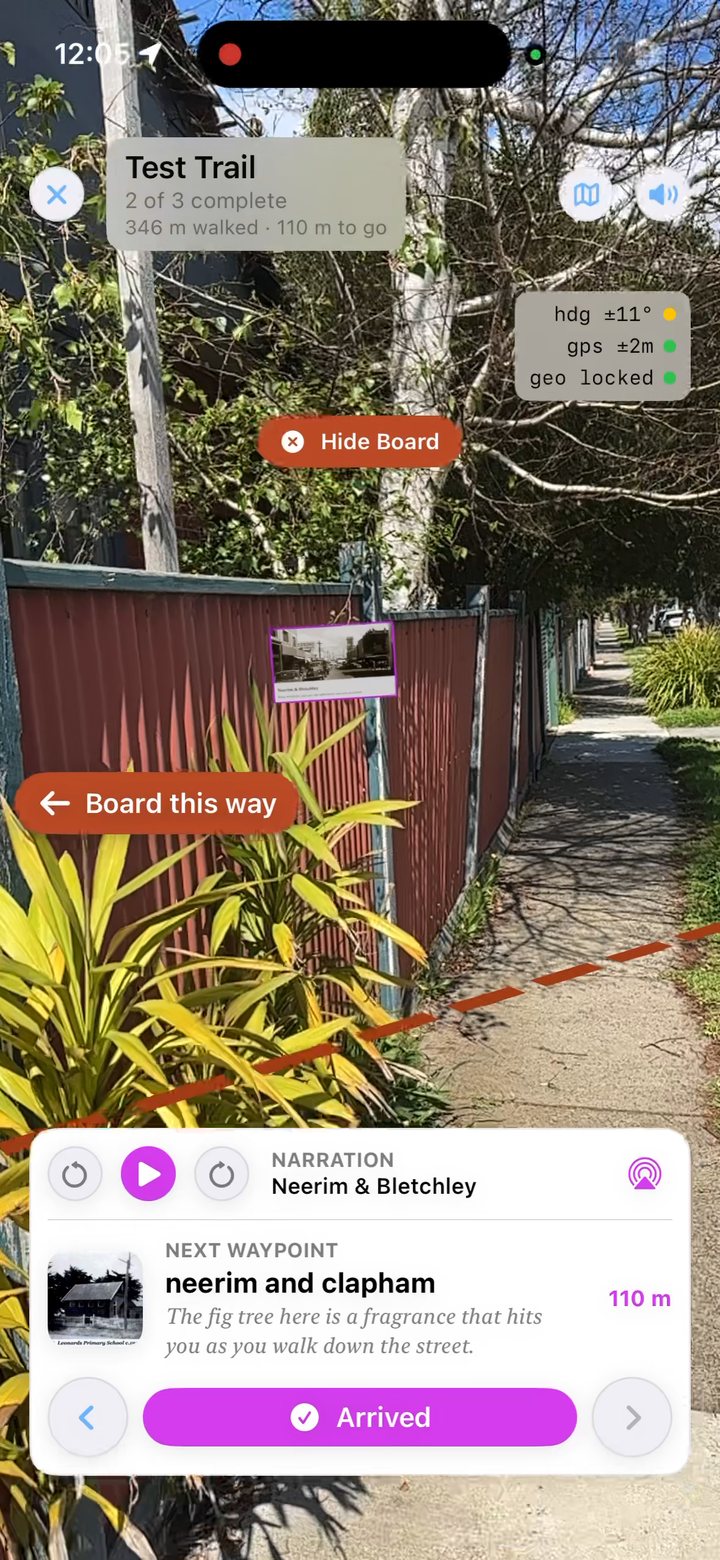
Arrive and the story is read aloud, first-person and specific, while a notice board with an old photograph appears in the street at the very spot.
Two ways to walk the same trail.
Compass view is the calm one: a dial, a distance and a little map. It's best for crossing roads, bright sun, and walking with the phone in your hand at your side. AR view puts the street on screen with the route drawn along the ground. It's best on the last stretch to a stop, when you want to see exactly where it was.
One button at the top of the screen swaps between them, as often as you like, and the trail carries on exactly where it was.
- ✓ Narration starts as you arrive. Hold to wait if you're mid-crossing
- ✓ Little status lights show how sure the phone is about where you are
- ✓ Step back or skip ahead a stop whenever you want
Stand exactly where it happened.
At every stop a notice board appears in the street at the place itself, with an old photograph and the story's opening lines, and the story is read aloud. With headphones on, it sounds as if it's coming from the board. If the board is behind you, an arrow says which way to turn.
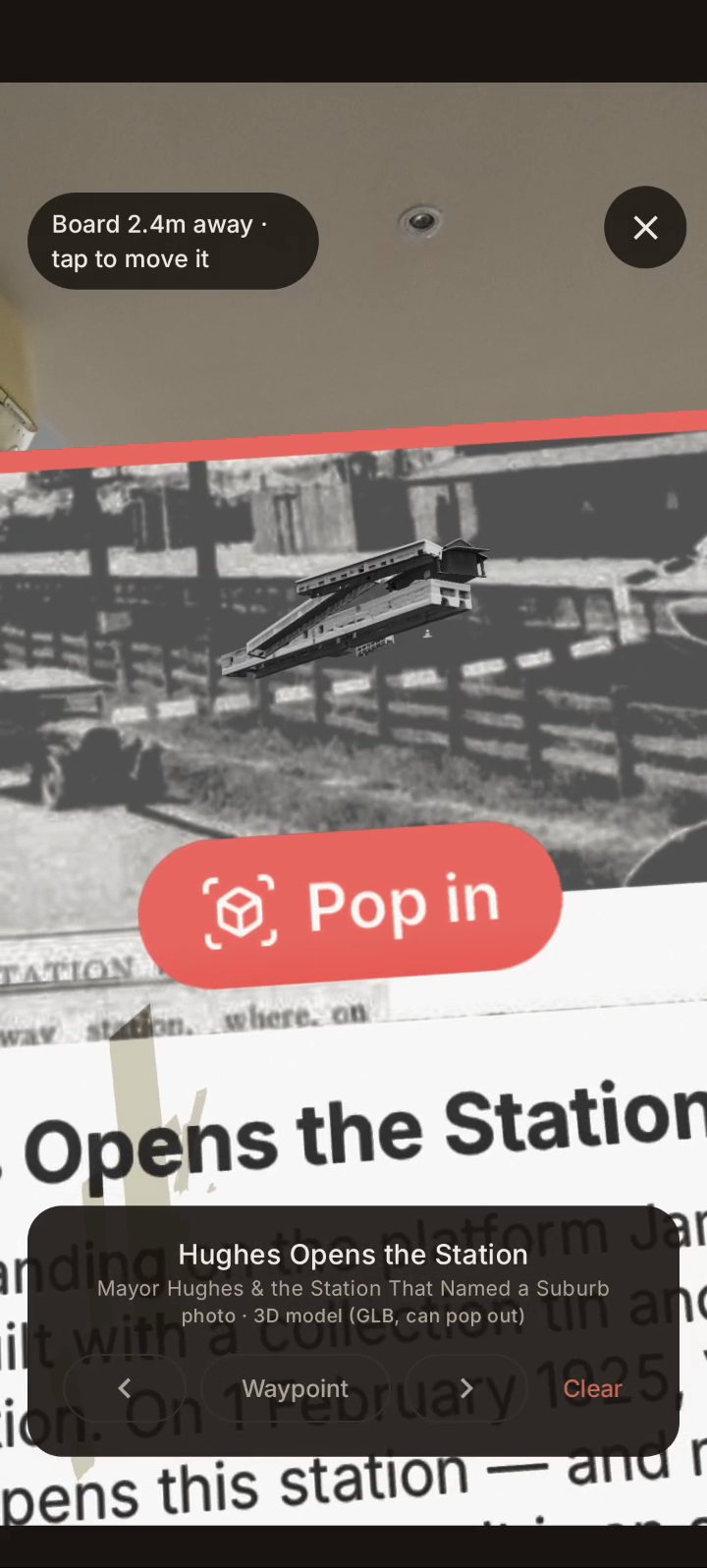
Some stops have a 3D model made from the old photograph. Tap Pop out and it grows out of the picture and hangs in the air in front of you, so you can walk around it. The models are brand new and still rough around the edges, and they'll get better as the trails do.
- ✓ Placed by matching your camera to the buildings around you, not just GPS
- ✓ Historic photos from the trail's own research
- ✓ 3D models popped out of the photograph, where a stop has one
Take the magnet off your phone.
AR needs to know which way you're facing, and a phone's compass is easily fooled. A PopSocket with a metal plate, a MagSafe ring or wallet, or a car-mount disc on the case can throw it out by a long way. On one of our own test walks a steel disc had the path pointing about 110 degrees off, while the phone insisted its compass was fine. Take it off before you start, hold the phone up at the buildings across the street, and start walking. That's most of the trick.
More tips for accurate AR →The iPhone and Android apps are nearly here.
Both apps are in beta now, and we're getting them ready for the App Store and Google Play. Everything on this page is in them: the compass, the AR path, the notice boards and the 3D models. Want to walk with them before everyone else?
Fill in a short form and we'll send your invite: TestFlight for iPhone, Google Play testing for Android. It asks which suburb you walk in, so we can make sure there's a trail near you, and whether you'd try Suburb Historian too.
No phone handy? The web version works in any browser with no install. It has the map and every story. The compass and AR need the app.
Chapter 2 of 5
Every trail unlocks like a quest — the same collecting instinct that gets a kid to the next waypoint on their own two feet.
Built for the kid holding the phone
Voice, pacing, and chapter length are tuned for the person actually walking — not the adult reading over their shoulder.
Made to get kids looking up.
Story Trail started as a way to pull kids off a screen at a holiday house — not a travel-history app that happens to tolerate children. Every default is built around a parent and kid discovering a marker together, before either of them has even opened the app.
Solo travellers and history enthusiasts get plenty out of it too — the map, the AR, the research is all real — but a family bored on a Saturday walk is who this was built for first.
Told honestly, even when it's uncomfortable.
Not every waypoint is a delightful surprise. Some of the fullest history in a place predates any plaque on it, and some plaques only tell half the story. Where a trail touches First Nations history, Story Trail names whose Country it is — and doesn't repeat a monument's silence as if it were the whole truth.
Read how we handle difficult history →Two blocks. Four stories. About twenty minutes.
Find out what's under your feet.